


Top 3 Key Takeaways
- Portfolio trumps diplomas in hiring – Employers value demonstrated skills and real projects over academic credentials. A well-crafted portfolio showcasing your problem-solving abilities and design thinking is your most powerful asset.
- Free and affordable resources can replace formal education – Between online courses, design communities, and self-directed learning, you can acquire professional-level UI/UX skills without the high cost of a university degree.
- Strategic networking accelerates career entry – Building relationships with practicing designers and joining design communities can lead to mentorship, feedback, and job opportunities that might otherwise be inaccessible.
Why Degrees Aren’t Mandatory in UI/UX Design
The UI/UX design field stands apart from many other professional careers in that formal education is often considered optional rather than essential. This shift is happening for several compelling reasons:
Industry Statistics on Non-Traditional Hires
According to recent industry surveys, 71% of UI Designers hold a four-year degree, but that number is steadily decreasing. More importantly, when hiring managers were asked about their priorities, 83% ranked portfolio quality and demonstrated skills above educational background. This represents a significant shift in hiring practices across the tech industry. Major companies including Google, Apple, and IBM have all removed degree requirements from many of their design positions, focusing instead on skills-based hiring. This trend is particularly pronounced in UI/UX design, where the ability to demonstrate practical skills through a portfolio makes formal education less critical.The Evolving Nature of UI/UX Design
UI/UX design is a rapidly evolving field where formal education often struggles to keep pace with industry changes. New tools, methodologies, and best practices emerge constantly, making continuous learning more valuable than rigid academic programs. The field also draws strength from diverse perspectives. Designers from non-traditional backgrounds often bring unique insights to user experience challenges, having experienced different career paths and life experiences that inform their approach to design problems.Ready to Start Your UI/UX Design Journey?
Download our comprehensive UI/UX Career Switch Checklist to assess your current skills and create a personalized learning path—no degree required.
Download Free Checklist7-Step Roadmap to UI/UX Mastery
Becoming a UI/UX designer without a degree requires a structured approach focused on building practical skills and real-world experience. Here’s your comprehensive roadmap:Step 1: Learn Core Principles (Free Tools List)
Before diving into specific tools or techniques, establish a solid foundation in design principles. Understanding concepts like visual hierarchy, color theory, typography, and user psychology will inform every design decision you make.Essential UI/UX Principles to Master:
- User-centered design methodology
- Visual hierarchy and information architecture
- Color theory and accessibility standards
- Typography fundamentals
- Interaction design patterns
- Usability heuristics
- Responsive design principles
Free Resources to Learn From:
Step 2: Build Mock Projects (Example: Redesign Spotify)
Theory alone won’t make you a designer—you need to apply what you’ve learned through practical projects. Start with redesigning existing applications to practice implementing design principles without worrying about creating something from scratch.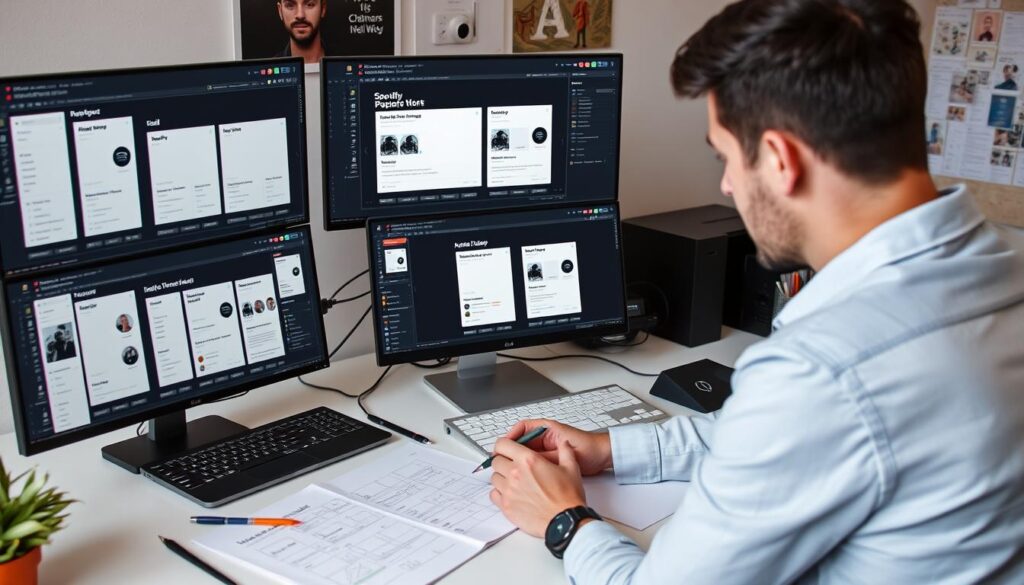
Beginner Project Idea: Spotify Redesign
Choose one feature of Spotify (like playlist creation or artist discovery) and redesign it to improve usability. Document your process from initial research through wireframing to final mockups. Why this works: Music apps have clear user goals, familiar interfaces, and plenty of reference material available online. You can focus on improving specific aspects rather than designing an entire system from scratch.Step 3: Create Case Studies (Template Included)
A portfolio of pretty interfaces isn’t enough—employers want to understand your thinking process. For each project, create a detailed case study that walks through your entire design process.Essential Elements of a Strong Case Study:
- Problem statement and project background
- User research methods and key findings
- Competitive analysis
- User personas and journey maps
- Ideation process and sketches
- Wireframes and information architecture
- Visual design decisions with rationale
- Usability testing and iterations
- Final solution with before/after comparisons
- Lessons learned and next steps
Case Study Template
Download our proven case study template used by self-taught designers who successfully landed jobs at top companies. This template guides you through documenting your design process in a way that impresses hiring managers.Step 4: Master Essential Design Tools
While principles are more important than tools, you’ll need proficiency in industry-standard software to work efficiently and collaborate with teams. Focus on mastering one primary design tool thoroughly before expanding your toolkit.
Figma
The current industry leader, Figma is browser-based, collaborative, and has a free tier perfect for beginners. Its intuitive interface makes it ideal for both UI design and prototyping. Learning resources: Figma’s official tutorialsAdobe XD
Part of the Adobe Creative Suite, XD integrates well with Photoshop and Illustrator. It’s powerful for creating interactive prototypes and has strong vector editing capabilities. Learning resources: Adobe XD tutorialsSketch
Popular among Mac users, Sketch pioneered many modern UI design tool features. It has an extensive plugin ecosystem and is widely used in established design teams. Learning resources: Sketch documentationStep 5: Build Your Professional Portfolio
Your portfolio is the single most important asset in your job search. It should showcase 3-5 high-quality projects with detailed case studies rather than dozens of superficial examples.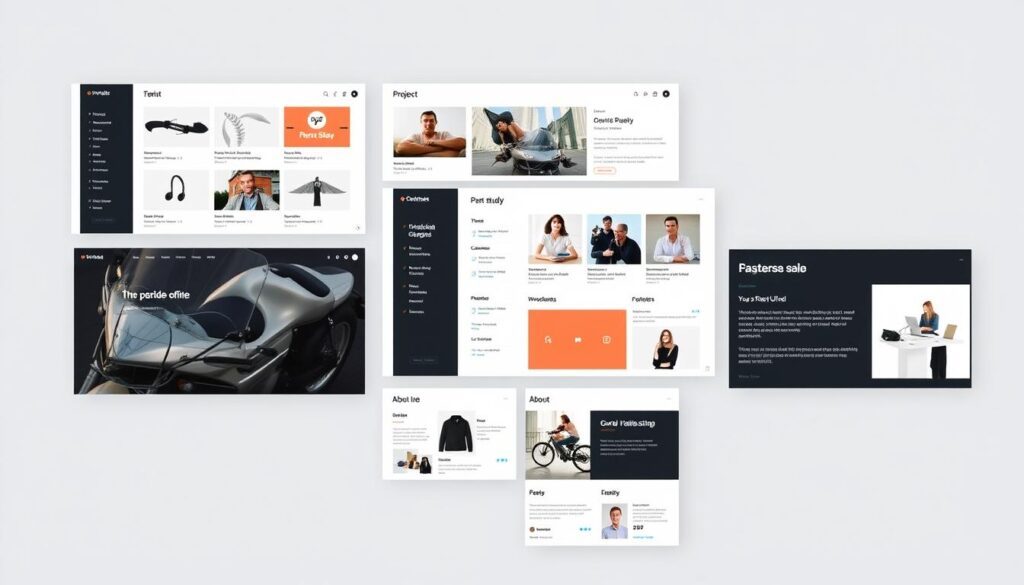
Portfolio Must-Haves:
- Clean, responsive design that demonstrates your UI skills
- Brief personal introduction highlighting your unique background
- 3-5 in-depth case studies (quality over quantity)
- Clear description of your role in each project
- Process documentation showing your thinking
- Before/after comparisons when applicable
- Contact information and availability
Portfolio Platforms:
- Behance – Great for discovery and networking
- Dribbble – Excellent for UI-focused work
- Squarespace – Easy custom website builder
- Webflow – More control for custom interactions
- Notion – Simple, flexible documentation
Step 6: Network Strategically
In a field where many positions are filled through referrals, networking isn’t optional—it’s essential. Focus on building genuine relationships rather than transactional connections.- Join design communities like Designer Hangout, ADPList, and local Meetup groups
- Participate in design challenges on platforms like Daily UI or UpLabs
- Attend virtual design events through organizations like Interaction Design Foundation
- Share your work and process on LinkedIn and Twitter using relevant hashtags
- Offer feedback to other designers to build reciprocal relationships
Step 7: Apply for Jobs Strategically
With your skills developed and portfolio ready, it’s time to approach the job market with a strategic mindset. Focus on quality applications over quantity.
Job Search Strategies:
- Target companies with design-mature cultures
- Look for junior or associate positions specifically
- Consider startups and agencies for first opportunities
- Leverage your network for referrals
- Prepare tailored applications for each position
- Follow up professionally after applications
Job Boards Specializing in Design:
Ready to Take Your Portfolio to the Next Level?
Book a 30-minute portfolio review with a senior UI/UX designer who will provide personalized feedback and actionable improvements.
Book Portfolio ReviewOvercoming the No-Degree Bias
While the industry is increasingly skills-focused, you may still encounter some bias against candidates without formal design education. Here’s how to address this effectively in your job search materials and interviews.
How to Address This in Resumes/Portfolios
The key to overcoming education bias is to proactively highlight your strengths while framing your non-traditional background as an advantage rather than a limitation.Resume Strategies:
- Lead with skills and experience at the top of your resume
- Include an “Education & Training” section that highlights courses, bootcamps, and self-directed learning
- Quantify achievements whenever possible (e.g., “Improved conversion rate by 23%”)
- List relevant tools and methodologies you’ve mastered
- Include testimonials from clients or collaborators
Portfolio Strategies:
- Emphasize your design process to demonstrate methodical thinking
- Show before/after comparisons to highlight improvements
- Include user testing results to show data-driven decisions
- Document your learning journey to demonstrate growth mindset
- Feature any mentorship or professional guidance you’ve received
Interview Techniques
Interviews are your opportunity to reframe the conversation around your skills and enthusiasm rather than educational credentials.- Prepare specific examples that demonstrate your problem-solving process
- Show enthusiasm for continuous learning by discussing recent courses or books
- Ask thoughtful questions about the company’s design process and challenges
- Bring additional work samples beyond what’s in your online portfolio
- Follow up with thank-you notes that reinforce key points from the interview
Leveraging Transferable Skills
If you’re transitioning from another career, identify and highlight the valuable skills you’re bringing with you that apply to UI/UX design.| Previous Experience | Transferable Skills for UI/UX | How to Highlight It |
| Customer Service | User empathy, problem-solving, communication | “My experience resolving customer issues taught me to identify pain points quickly and communicate solutions clearly.” |
| Marketing | User research, A/B testing, storytelling | “I’ve applied my experience in A/B testing marketing campaigns to design decisions, focusing on measurable outcomes.” |
| Teaching | Information architecture, clear communication, user empathy | “As a teacher, I learned to organize complex information into digestible chunks—a skill I now apply to UX information architecture.” |
| Project Management | Process optimization, stakeholder management, timeline planning | “My project management background helps me understand the full product development lifecycle and collaborate effectively with developers.” |
Success Stories: Self-Taught Designers Who Made It
Nothing inspires confidence like seeing others succeed on the path you’re considering. Here are real stories of designers who built successful careers without design degrees.
Sarah J. – Former Teacher
“After 6 years teaching elementary school, I taught myself UI/UX design through online courses and building projects for local businesses. Within 8 months, I landed a junior position at a health tech startup. My teaching background actually became my secret weapon—I understand how people learn and process information.” Key takeaway: Leverage your previous career experience as a unique strength.Miguel R. – Former Accountant
“I was an accountant for 4 years before discovering my passion for UI/UX. I completed a 3-month bootcamp while working full-time, then spent weekends building my portfolio. After 6 months of applications, I got hired as a UI designer at an agency. My analytical background helps me balance creativity with business objectives.” Key takeaway: Persistence and consistent portfolio building pays off.Aisha K. – Self-Taught
“I skipped college entirely and learned design through YouTube tutorials and design challenges. I started freelancing on small projects, then documented each one thoroughly in my portfolio. After a year, I was hired by a major e-commerce company. They were impressed by my initiative and real-world problem-solving in my case studies.” Key takeaway: Start small with real projects and document your process meticulously.Frequently Asked Questions
Do companies really hire UI/UX designers without degrees?
How long does it take to become job-ready without a degree?
- Time invested weekly (15+ hours is ideal)
- Previous related experience (graphic design, marketing, etc.)
- Quality of learning resources and mentorship
- Focus on portfolio-building alongside learning
What’s the salary difference between self-taught designers and degree holders?
Do I need to learn to code to become a UI/UX designer?
How do I find a mentor without connections in the industry?
- Join platforms like ADPList that offer free mentorship sessions
- Participate actively in design communities like Designer Hangout
- Attend virtual design events and engage with speakers
- Reach out thoughtfully to designers whose work you admire on LinkedIn or Twitter
- Offer value in exchange for guidance (e.g., user testing their products, research assistance)
Your Path to Becoming a UI/UX Designer Starts Now
Becoming a UI/UX designer without a degree is not only possible—it’s increasingly common in today’s skills-focused job market. By following the roadmap outlined in this guide, you can build the portfolio, skills, and network needed to launch a successful design career regardless of your educational background. Remember that the most successful self-taught designers share key traits: consistent practice, curiosity, resilience in the face of rejection, and a commitment to continuous learning. Your unique background and perspective can become your greatest strength in a field that values diverse thinking and creative problem-solving.
Don’t Walk This Path Alone
Join our community of 5,000+ self-taught designers who support each other through feedback, job leads, and shared resources. Get access to exclusive workshops, design challenges, and networking opportunities.
Join Our CommunityIn conclusion, understanding how to become a UI/UX designer without a degree involves perseverance and skill development.
Lastly, dedication is key in mastering how to become a UI/UX designer without a degree.
Creating a network of contacts can aid you in understanding how to become a UI/UX designer without a degree.
There are many successful self-taught designers who showcase how to become a UI/UX designer without a degree.
Participating in workshops is a great way to learn how to become a UI/UX designer without a degree.
Many have successfully transitioned to this field through learning how to become a UI/UX designer without a degree.
Understanding design tools is essential when considering how to become a UI/UX designer without a degree.
Learning about user experience is a key component in knowing how to become a UI/UX designer without a degree.
There are countless stories of individuals who figured out how to become a UI/UX designer without a degree.
The community support can be crucial for those learning how to become a UI/UX designer without a degree.
Many resources are available on how to become a UI/UX designer without a degree that highlight essential skills.
Understanding user needs is vital when learning how to become a UI/UX designer without a degree.
Practice is essential to master the skills required for how to become a UI/UX designer without a degree.
Many tutorials are available that explain how to become a UI/UX designer without a degree.
Joining communities can be beneficial in learning how to become a UI/UX designer without a degree.
There are workshops that teach how to become a UI/UX designer without a degree.
Understanding the market will help you learn how to become a UI/UX designer without a degree effectively.
Researching how to become a UI/UX designer without a degree can lead to valuable insights.
To truly understand how to become a UI/UX designer without a degree, immerse yourself in practical projects.
Many have wondered how to become a UI/UX designer without a degree and found success through dedication.
Finding mentorship is a key aspect of how to become a UI/UX designer without a degree.
Many people have successfully learned how to become a UI/UX designer without a degree by utilizing online resources.
If you’re curious about how to become a UI/UX designer without a degree, start by honing your design skills.
Networking is also crucial in learning how to become a UI/UX designer without a degree.
In exploring how to become a UI/UX designer without a degree, you should focus on building a strong portfolio.
Learning how to become a UI/UX designer without a degree can be an empowering process.
There are numerous resources available that explain how to become a UI/UX designer without a degree.
Many are now asking how to become a UI/UX designer without a degree, and the answer lies in practical experience.
Understanding how to become a UI/UX designer without a degree opens up new opportunities for those willing to learn and adapt.
For those wondering how to become a UI/UX designer without a degree, the journey may seem daunting, but it is entirely achievable with the right approach.